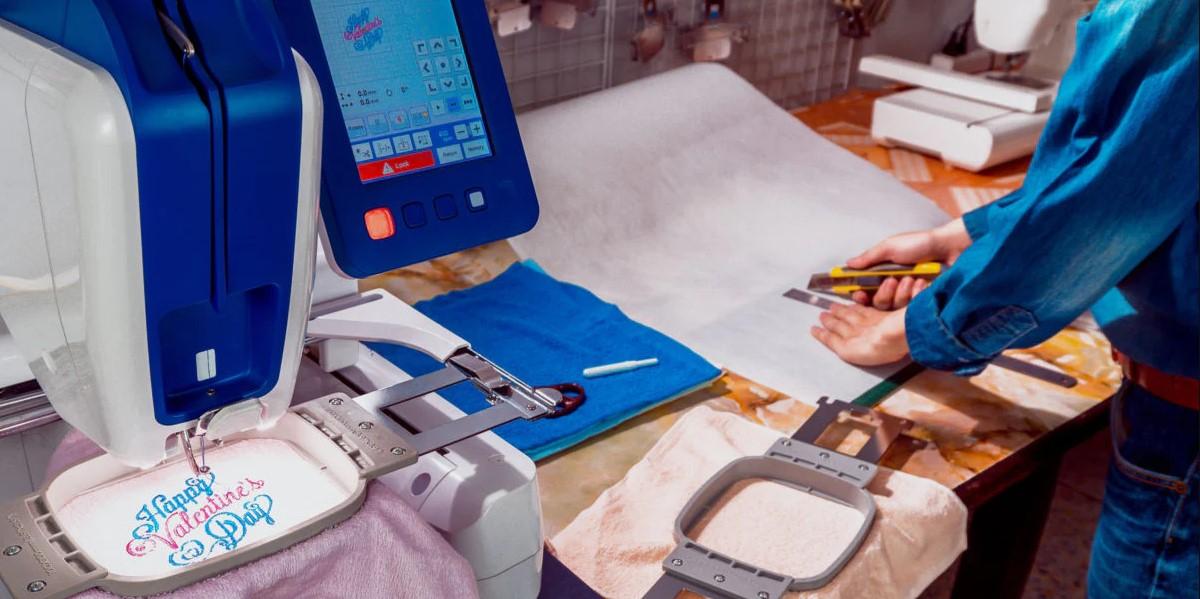
Embroidery is a great way to place art on fabric. Many brands use it on shirts, caps, bags, and coats. A stitched logo looks neat and strong. It also lasts a long time. This is why many shops use machine embroidery for their brand work.But a normal image file cannot run on an embroidery machine. Files like JPG or PNG are made for screens and print. A machine needs a stitch file. That is why many people learn how to Convert JPG to DST so the design can run on embroidery machines that read this format.
The step that changes art into stitch data is called digitizing. It tells the needle where to move. It sets stitch length and path. It also guides color changes. When this work is done well, the final stitch looks smooth and clear.In this guide, you will learn smart tips to turn artwork into machine embroidery files. These tips come from real work in the embroidery field. They help new users and shop owners get better stitch results.
Understanding Machine Embroidery Files
Embroidery files are very different from image files.
Image files only show color and pixels. Embroidery files show stitch paths.
What Is Inside an Embroidery File
An embroidery file stores key stitch data.
It tells the machine:
- where the needle moves
- how long the stitch should be
- when to change thread color
- where the design starts and ends
This data helps the machine create a clean stitch design.
Why Digitizing Is Important
Digitizing turns flat artwork into stitch paths.
It is both art and skill.
A trained digitizer studies the design. Then they choose the best stitch types and stitch order.
Good digitizing leads to smooth embroidery.
Start With Clean Artwork
Good embroidery begins with good artwork.
Clear designs make digitizing easier and more accurate.
Use High Quality Image Files
A sharp image helps the digitizer see every shape.
Good formats include:
Vector files are even better. Examples include AI and EPS files.
Avoid Low Quality Images
Blurry or pixelated images create problems.
They make edges hard to trace.
This can lead to rough stitches.
Simplify the Artwork
Embroidery thread is thicker than ink.
Because of this, complex artwork may not stitch well.
Remove Small Details
Tiny shapes can disappear during stitching.
Try to remove:
- very thin lines
- tiny dots
- small decorations
This keeps the design clean.
Use Bold Shapes
Bold shapes create strong embroidery.
Thin outlines often break or look uneven.
A simple design stitches better.
Reduce the Number of Colors
Embroidery uses thread layers.
Each color means a new stitch section.
Ideal Color Range
Most embroidery logos use:
- three to six thread colors
This keeps the design easy to stitch.
Match Thread Colors Carefully
Thread shades may look different from digital colors.
Digitizers use thread charts to find the closest match.
This helps maintain brand color identity.
Understand Different Stitch Types
Embroidery machines use several stitch styles.
Each stitch type serves a different purpose.
Running Stitch
Running stitch is a simple line of thread.
It works well for:
Satin Stitch
Satin stitch creates smooth and shiny lines.
It is used for:
Fill Stitch
Fill stitch covers large areas.
It works well for:
A good digitizer chooses the best stitch for each part of the design.
Choose the Right Design Size
Size matters in embroidery.
Small designs may lose detail.
Large designs may not fit the product.
Common Embroidery Sizes
Different items use different logo sizes.
Shirt Logos
Most chest logos are three to four inches wide.
Cap Logos
Cap designs are usually about two inches wide.
Jacket Logos
Back logos may be eight to ten inches wide.
Test the Size First
Print the design on paper.
Place it on the product.
This helps check if the size looks right.
Pay Attention to Text in Artwork
Text can be hard to stitch.
Small letters may become messy.
Use Simple Fonts
Choose fonts that are:
Simple fonts work best in embroidery.
Keep Text Large Enough
Experts suggest letters should be at least four to five millimeters tall.
Smaller letters may lose clarity.
Plan Stitch Direction
Stitch direction affects how embroidery looks.
Thread reflects light at different angles.
Benefits of Proper Stitch Direction
Correct stitch angles help:
- add depth to the design
- separate shapes
- improve clarity
Prevent Fabric Pull
Good stitch direction also prevents fabric tension.
This keeps the design smooth and flat.
Consider Fabric Type
Fabric type changes how stitches behave.
Some fabrics stretch. Others stay firm.
Thick Fabrics
Examples include:
These fabrics support dense stitching.
Soft Fabrics
Examples include:
- t-shirts
- polo shirts
- fleece
Soft fabrics stretch more.
Digitizers often adjust stitch density for these fabrics.
Set a Smart Stitch Order
Stitch order tells the machine which parts to sew first.
A good stitch plan improves the final look.
Why Stitch Order Matters
Correct stitch order helps:
- reduce thread trims
- prevent gaps
- keep edges clean
Typical Stitch Flow
Many embroidery designs follow this order:
- background shapes
- main design elements
- text and small details
This builds the design layer by layer.
Run a Test Stitch
Testing is an important step.
Even good digitizing should be tested first.
Create a Sample Design
Run the embroidery on scrap fabric.
Check the results for:
- thread tension
- stitch spacing
- color balance
Adjust if Needed
Small changes can improve the final result.
Digitizers may adjust stitch density or stitch paths.
Testing helps avoid costly mistakes.
Common Mistakes to Avoid
Many beginners face similar problems.
Avoiding these issues improves embroidery quality.
Using Poor Artwork
Low quality images cause digitizing errors.
Always start with a clear design.
Making the Design Too Small
Tiny designs lose detail.
Keep logos large enough to stitch clearly.
Using Too Many Colors
Extra colors slow the stitching process.
Simplify the design when possible.
Ignoring Fabric Type
Different fabrics need different stitch settings.
Always match the design with the material.
Tools That Help Create Embroidery Files
Several tools help convert artwork into embroidery files.
These tools make editing and digitizing easier.
Graphic Design Software
Graphic tools help clean and adjust artwork.
Common tools include:
- Adobe Illustrator
- CorelDRAW
These programs help simplify shapes and colors.
Embroidery Digitizing Software
Digitizing software creates stitch files.
Popular tools include:
- Wilcom
- Hatch
- Brother PE-Design
These tools give full control over stitch paths.
Building Better Embroidery Designs
Good embroidery comes from good preparation.
Clean artwork, simple shapes, and smart stitch planning lead to better results.
When a design is digitized carefully, the machine runs smoothly.
The thread forms neat stitches and clear edges.
Customers notice the difference between poor embroidery and high-quality stitching.
Final Thoughts
Turning artwork into machine embroidery files is a detailed process. A simple image must be prepared, simplified, and digitized before stitching.
The artwork must be clear. The shapes must be bold. The colors must be simple. The stitch path must be planned well.
When these steps are done correctly, the result is a clean and professional embroidery design. The stitches look smooth and balanced on fabric.
By following these smart tips, you can turn artwork into embroidery files that work well on machines and create strong stitched designs that represent a brand with pride.
 English
 Arabic
 French
 Spanish
 Portuguese
 Deutsch
 Turkish
 Dutch
Dutch
 Italiano
 Russian
 Romaian
 Portuguese (Brazil)
 Greek
Greek